Ariadne – a new chapter for Modell Aachen and orgavision!
Discover Ariadne


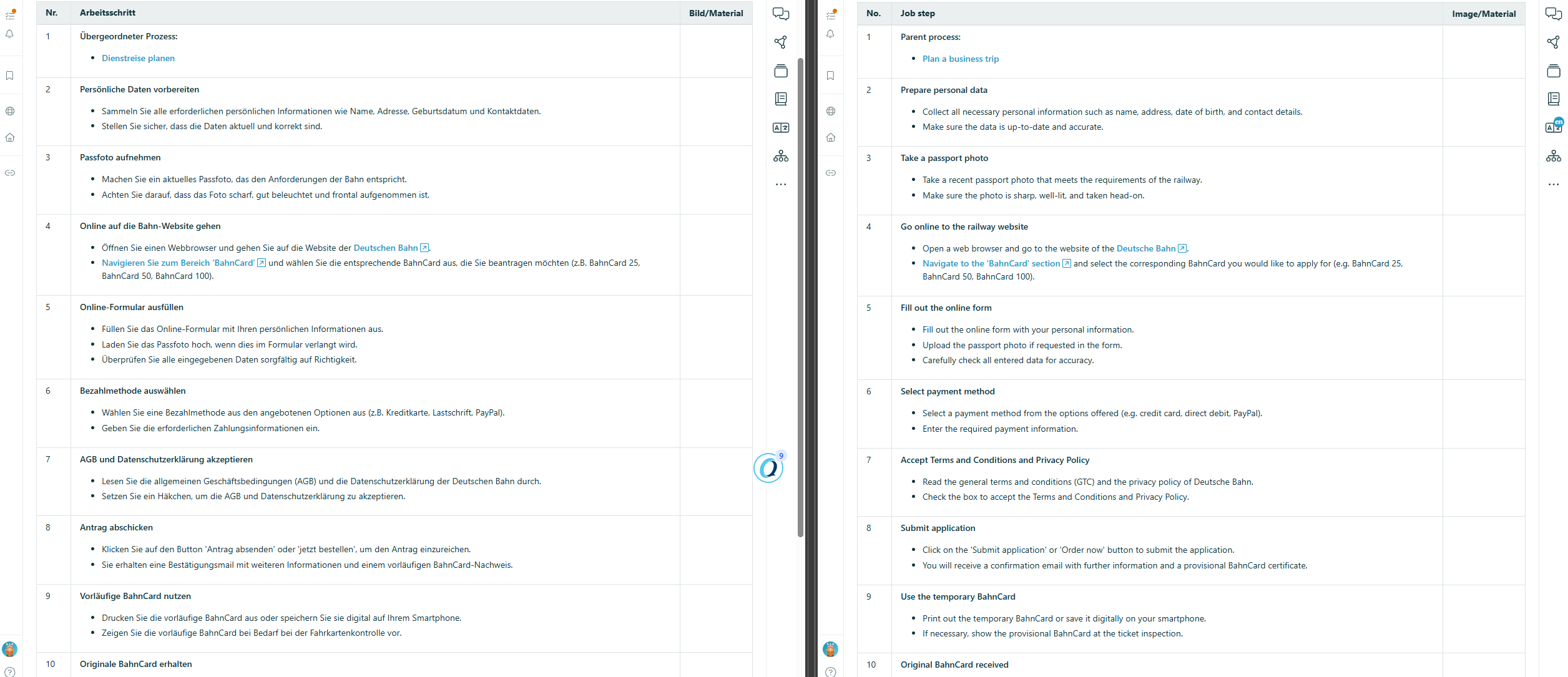
With Q.wiki, international collaboration is a breeze. Our software allows you to work effortlessly in different languages. Simply select your preferred system language and get started—whether it's French, Spanish, or any other language.
Thanks to our integrated translation function, you can quickly understand content and communicate across language barriers without changing the original documents – and with the advanced search function, you can find all relevant information, even if it was created in different languages.
Discover how Q.wiki optimizes your global processes and brings your team closer together, no matter where in the world they are located.


One interface, many languages. With Q.wiki you can provide the user interface in multiple system languages, so every team works in the language it understands best. The content itself stays identical, only the interface adapts to the selected language. This reduces misunderstandings in daily work and increases software acceptance in international teams.
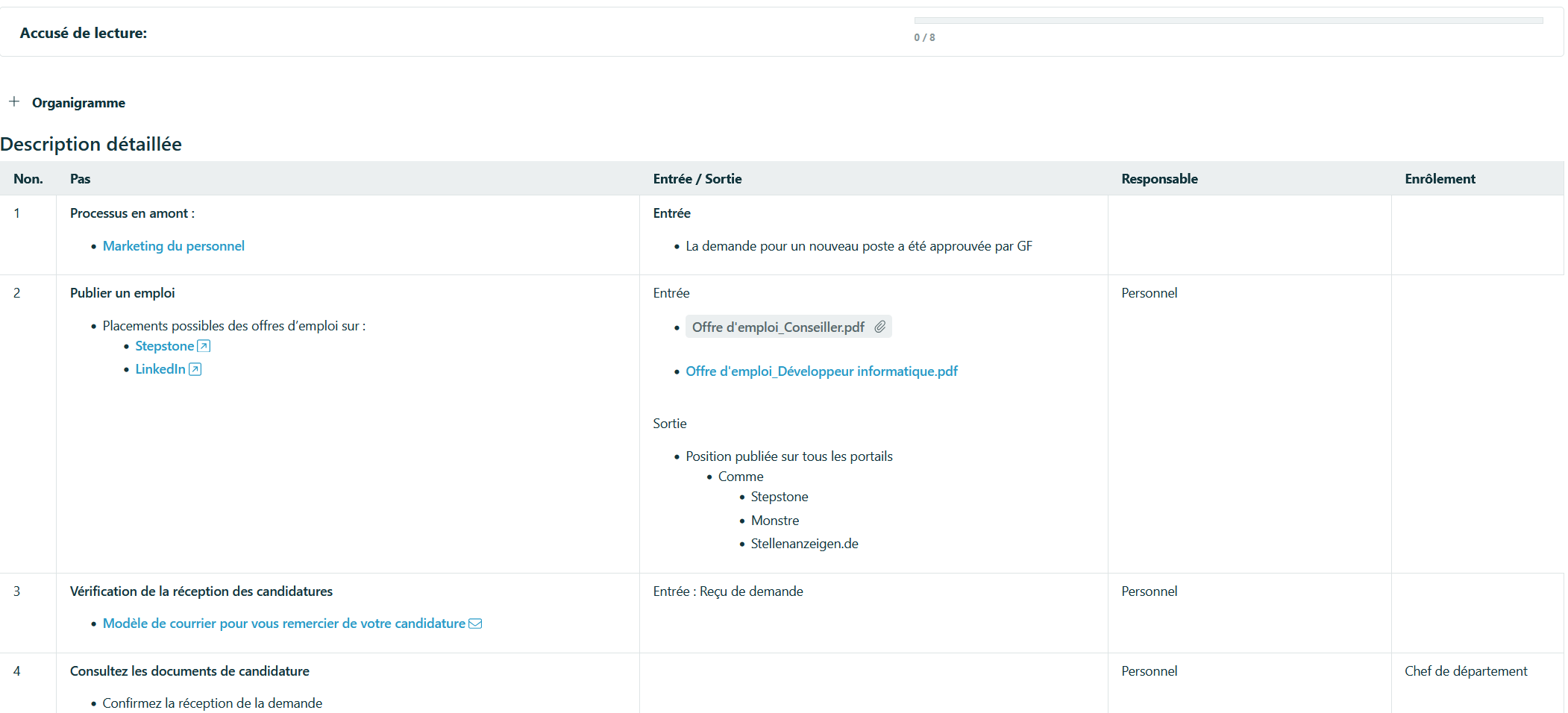

Find instead of search. The advanced search in Q.wiki takes multilingual content into account and displays all relevant results clearly. It does not matter in which language a document was originally created or edited. Employees can find guidelines, processes and work instructions even if they exist in another language. This ensures that knowledge is truly discoverable across languages.
Understandable for every team. With the integrated translation features you create and manage translations directly in Q.wiki, without external tools. Original and translations remain logically linked so every change is traceable and consistent. Teams can read content in their own language without versions drifting apart. This keeps your processes globally consistent and locally easy to understand.

Continuously improve processes and create real added value in everyday working life.

Implement all relevant standard requirements digitally and easily — regardless of whether ISO 9001, ISO 14001, etc.

Here you can find all the modules we offer. Just click through.



We are happy to provide you with inspiring content, current events and news.




.jpg)
.avif)
